Business workflow management for modern teams
Task, team, and workflow management for companies.
Manage Tasks, Teams, and Company Workflows in One Place
ComFlow helps companies create structured workspaces, invite employees, manage tasks, organize processes, build approval workflows, use forms, and keep company operations under control from one secure platform.

ComFlow
Tasks, processes, forms, and approvals for your company.
Tasks
Create, assign, prioritize, and follow company tasks from start to finish.
Processes
Organize business processes, approval flows, internal requests, and operational records.
Teams
Invite employees, assign roles, manage permissions, and keep every company workspace secure.
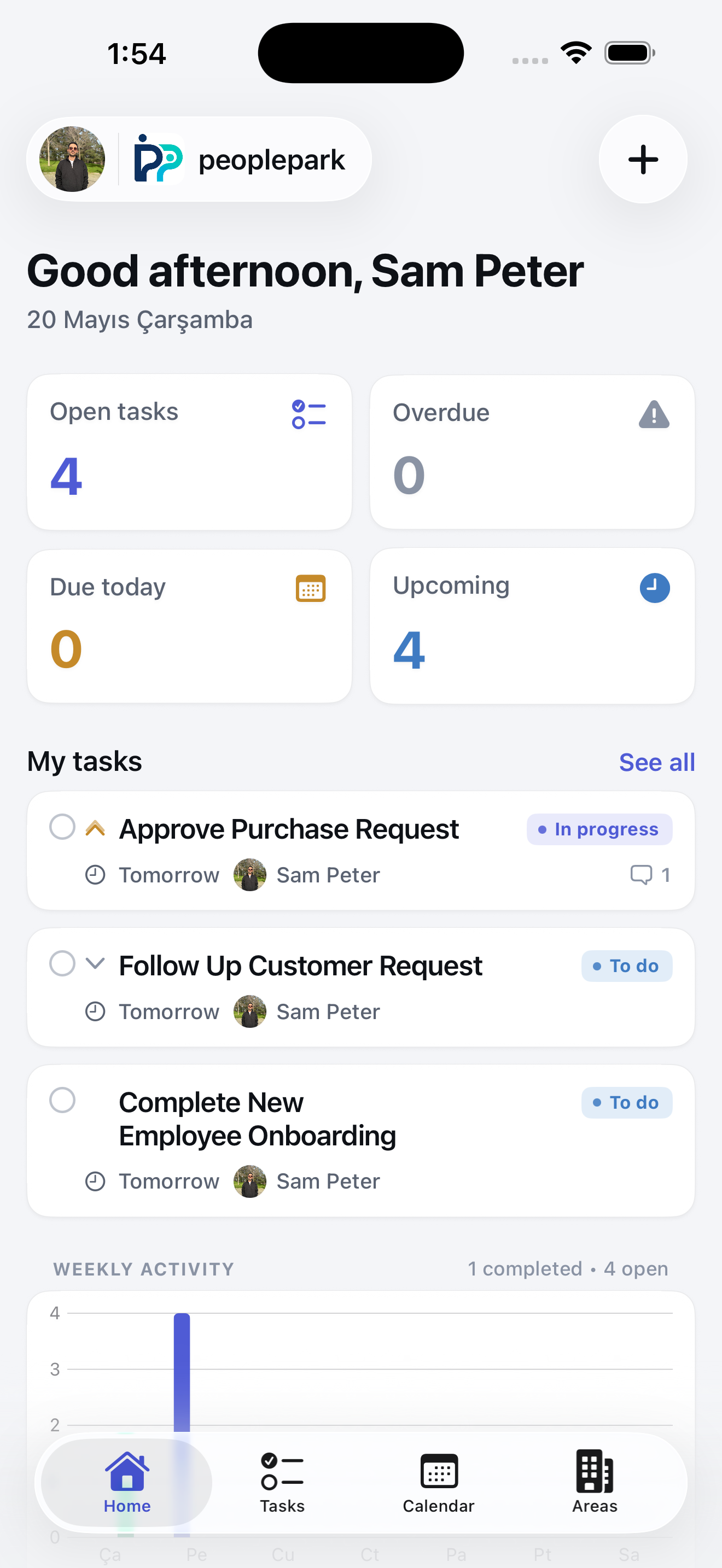
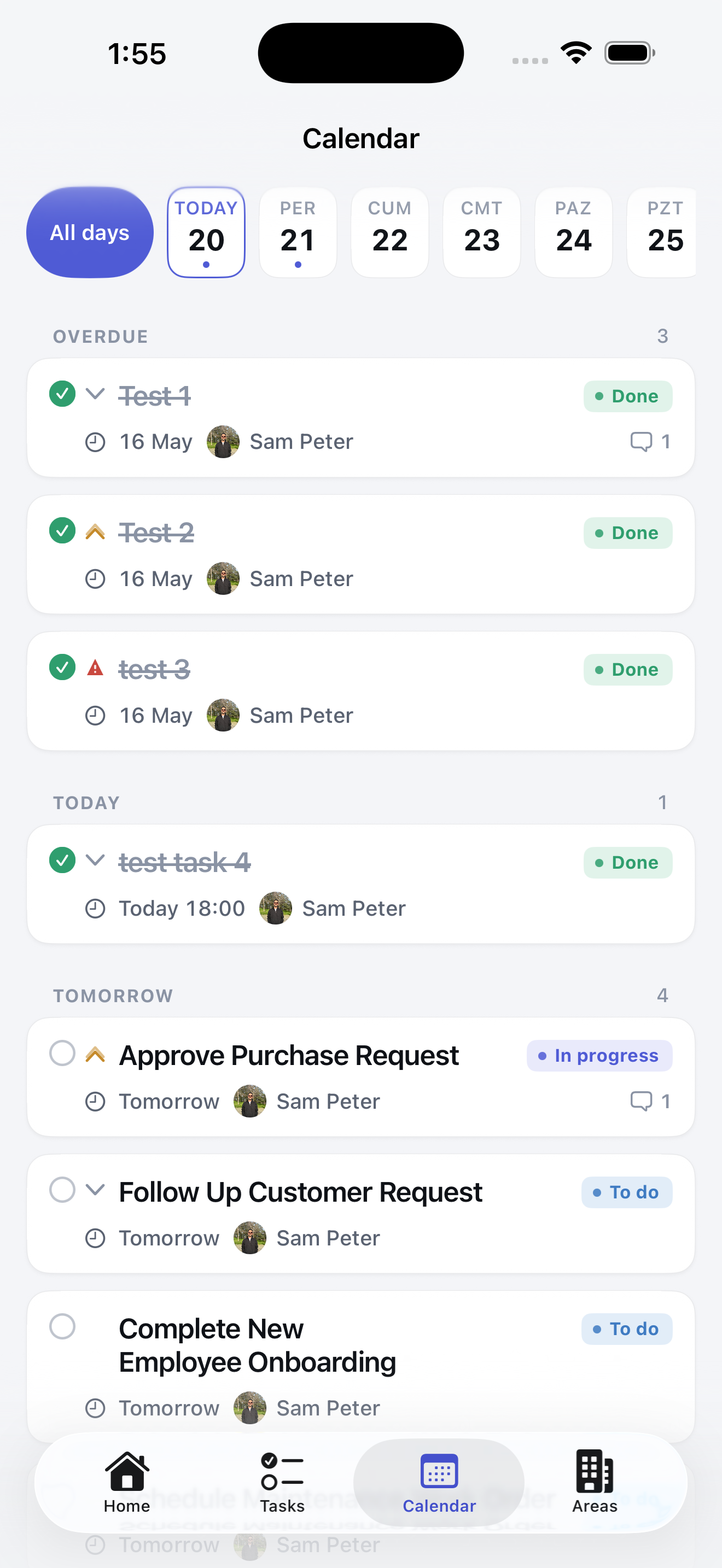
Live app preview
Company tasks, status, and activity in ComFlow
What Is ComFlow?
A structured business workflow platform for companies
ComFlow is designed for companies that need a clearer way to manage tasks, employees, processes, forms, approval workflows, and internal operations. It helps businesses move beyond scattered messages, manual follow-ups, disconnected documents, and unclear responsibilities.
With ComFlow, each company can create its own workspace, invite employees, assign roles, manage permissions, create tasks, build processes, use forms, track approvals, and keep operational records organized in one secure platform.
Company Workspaces
Create a dedicated workspace for your company and keep users, tasks, forms, processes, and workflows isolated from other companies.
Structured Workflows
Turn daily operations, approval steps, internal requests, and recurring business processes into manageable workflows.
Clear Responsibility
Assign tasks, define roles, control permissions, and make it clear who is responsible for each part of the work.
Task Tracking
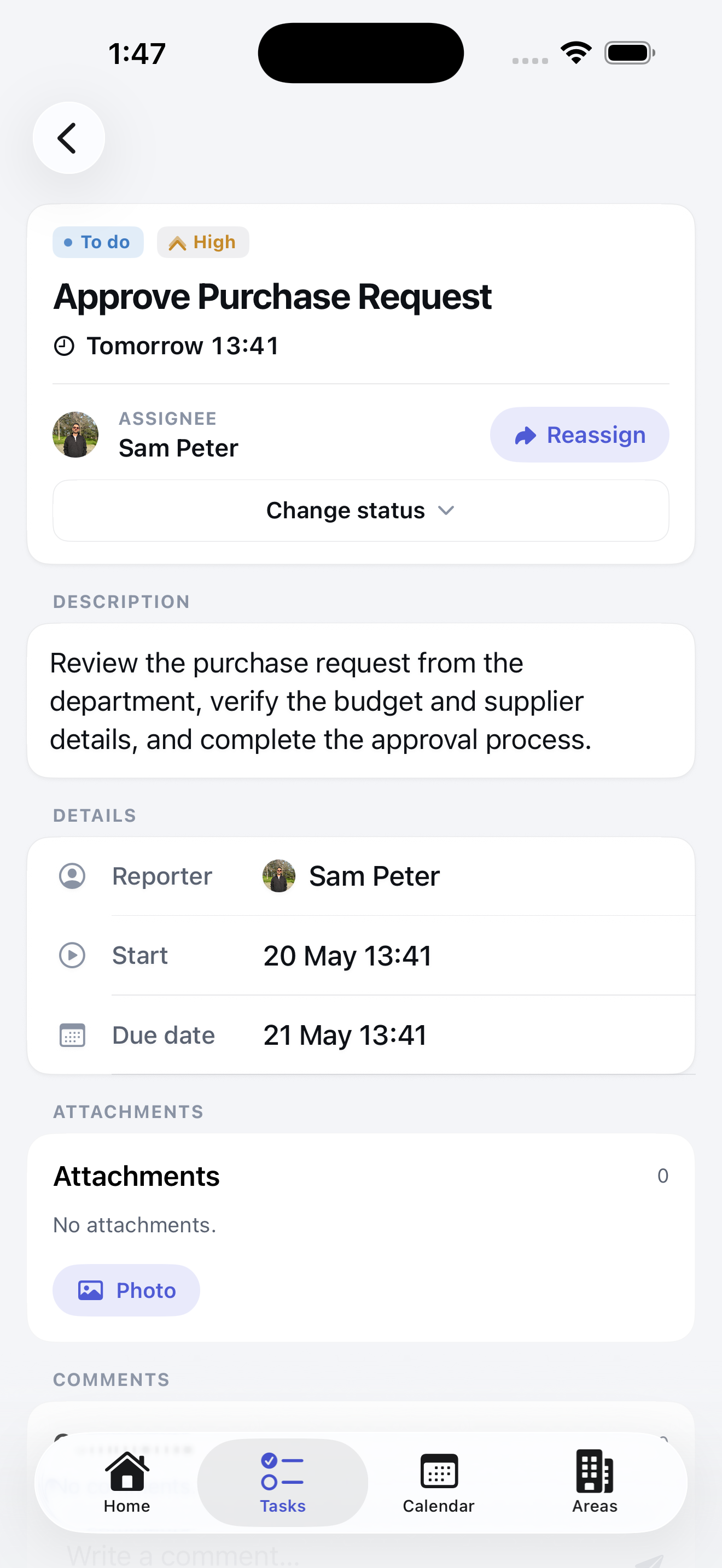
Create, assign, and follow every task clearly
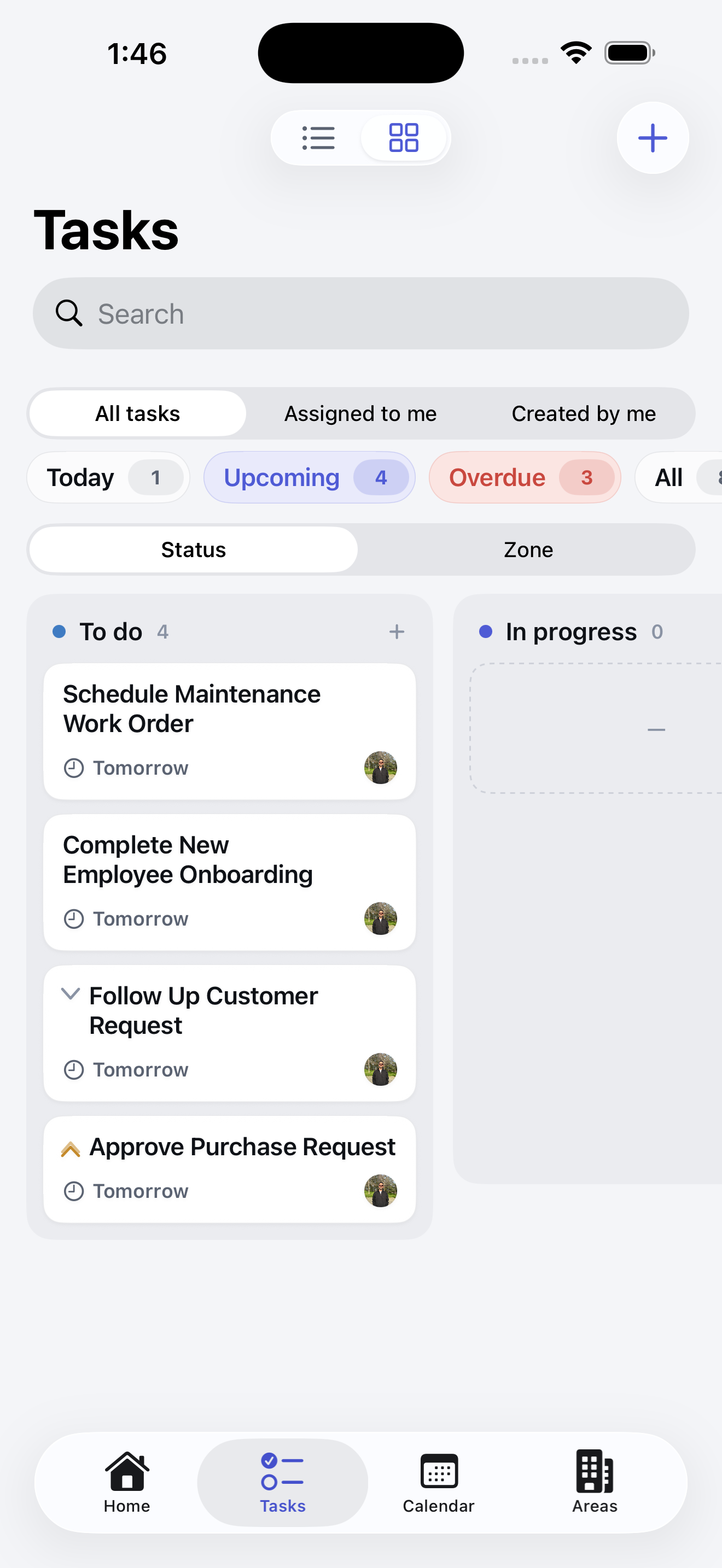
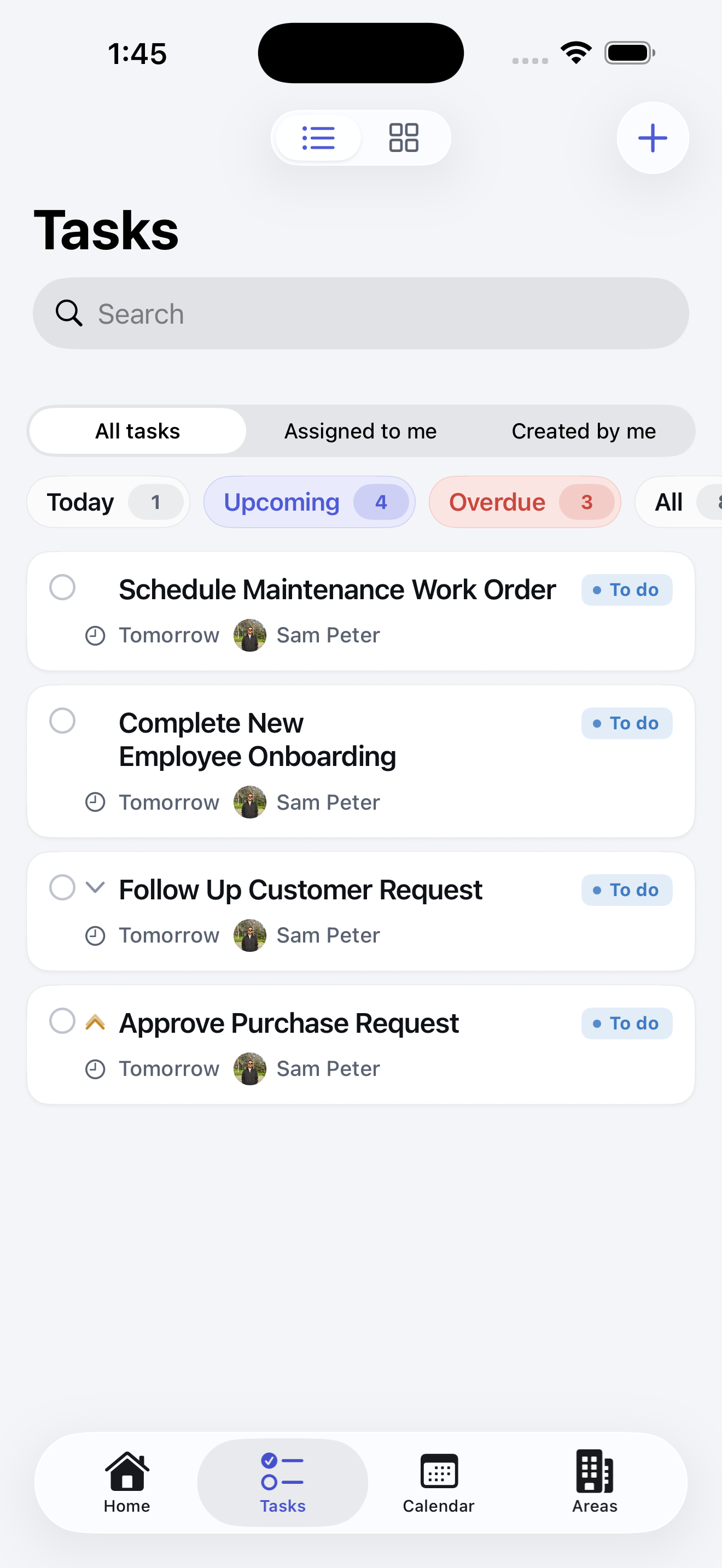
ComFlow gives teams a practical way to manage daily work. Tasks can be created, assigned to employees, prioritized, updated, and followed through their full lifecycle.
Managers can see what is pending, what is in progress, what is completed, and which tasks need attention. Employees can focus on their assigned work with clear ownership, context, and status visibility.
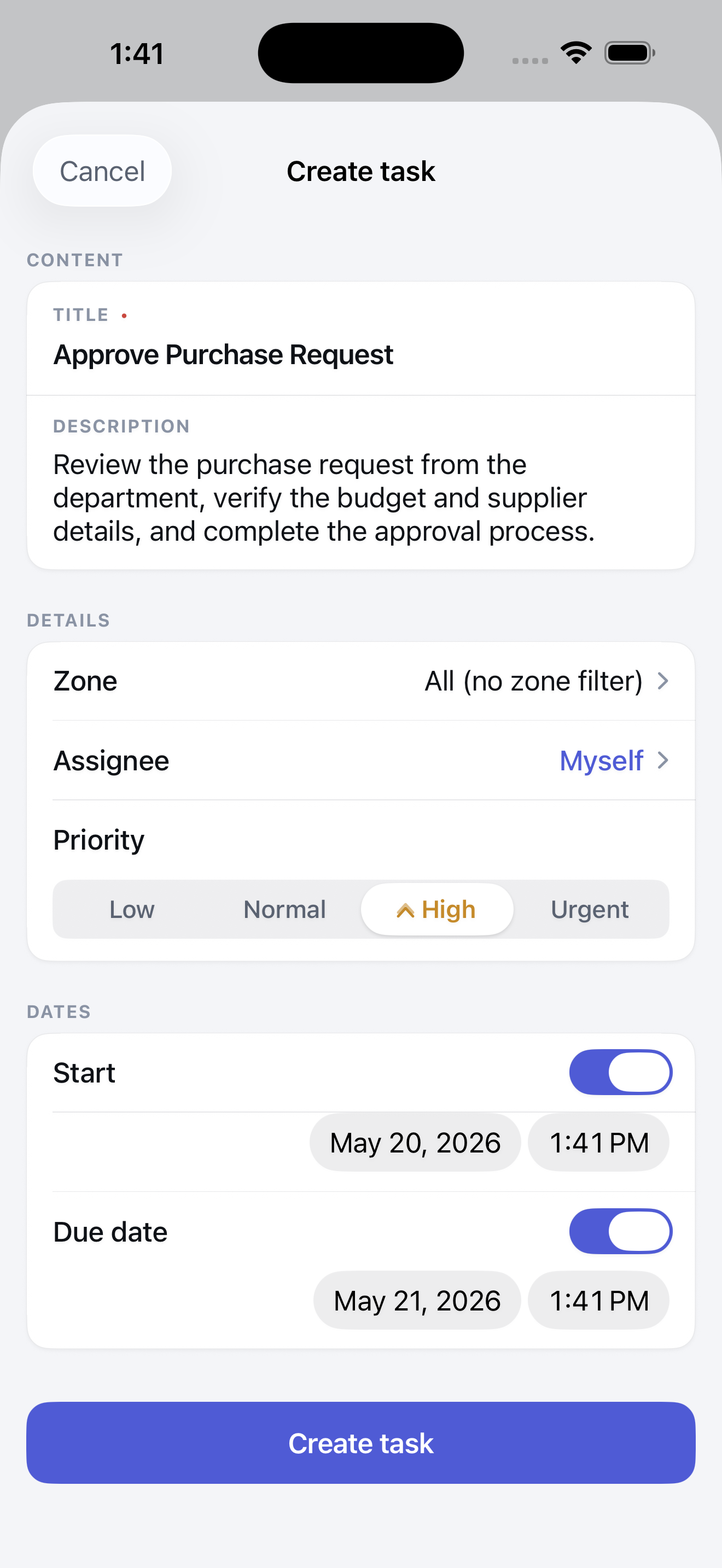
Create tasks for daily operations
Assign tasks to employees or teams
Set priorities and due dates
Track task progress and status
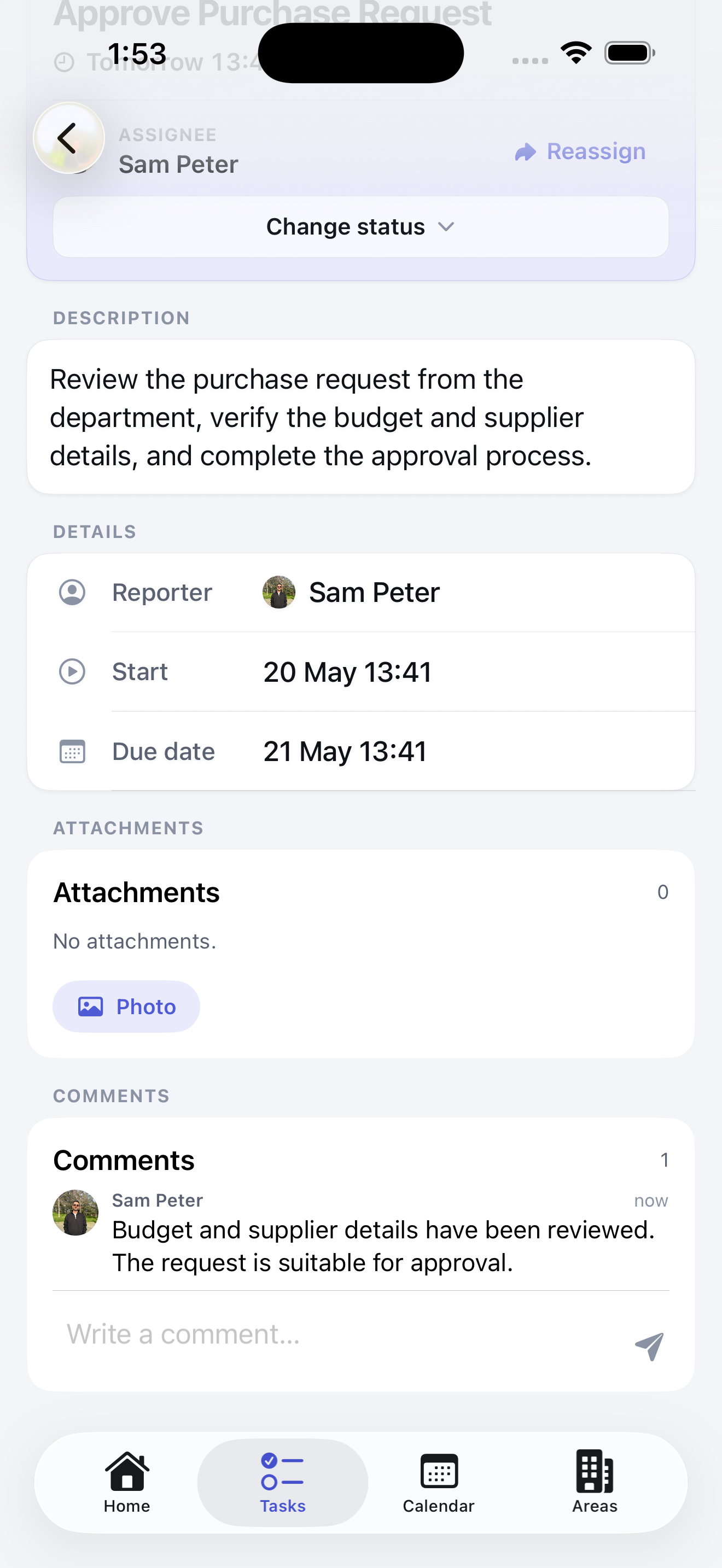
Add comments, files, and related records
Reduce missed follow-ups and unclear responsibilities
Workflow Management
Bring structure to company processes
ComFlow helps companies manage more than simple task lists. It supports business processes, approval workflows, forms, cases, internal requests, and operational records that need to move through clear steps.
Whether your company handles service requests, maintenance tasks, customer follow-ups, internal approvals, department operations, field work, or recurring checklists, ComFlow helps keep every process visible and controlled.
Approval flow
Submitted form to final decision
Submit request
Responsibility, comments, files, and status stay connected inside the workflow.
Manager review
Responsibility, comments, files, and status stay connected inside the workflow.
Finance approval
Responsibility, comments, files, and status stay connected inside the workflow.
Record and notify
Responsibility, comments, files, and status stay connected inside the workflow.
Team Management
Organize employees, managers, and company roles
ComFlow helps companies create a clear team structure inside each workspace. You can invite employees, define their roles, assign responsibilities, and organize access according to how your company actually works.
This makes it easier for businesses to manage departments, branches, operational teams, managers, administrators, and employees from one place.
Invite company employees
Assign managers and administrators
Organize users by role or responsibility
Keep employee access under control
Support company growth with structured team management
Roles & Permissions
Give the right access to the right people
ComFlow includes role-based permissions so companies can control what each user can view, create, edit, approve, or manage. Not every employee needs access to every task, form, workflow, or company setting.
With clear permission management, companies can protect sensitive operational data, reduce mistakes, and create a secure working environment for different teams and responsibility levels.
Role-based access control
Company-level data isolation
Manager and employee permissions
Controlled access to tasks, forms, workflows, and records
Secure workspace structure for business teams
Forms & Approvals
Collect requests, manage records, and control approvals
ComFlow helps companies use forms to collect structured information from employees, teams, or operational processes. Submitted forms can become records, tasks, cases, or workflow steps depending on how your company works.
Approval flows help managers review, accept, reject, or follow up on requests with better visibility. This is useful for internal requests, operational approvals, service processes, employee submissions, checklists, and department workflows.
Create and use business forms
Collect structured company records
Manage approval workflows
Track submitted requests
Attach files and comments
Keep approval history visible
Reports & Visibility
Understand what is happening across your company
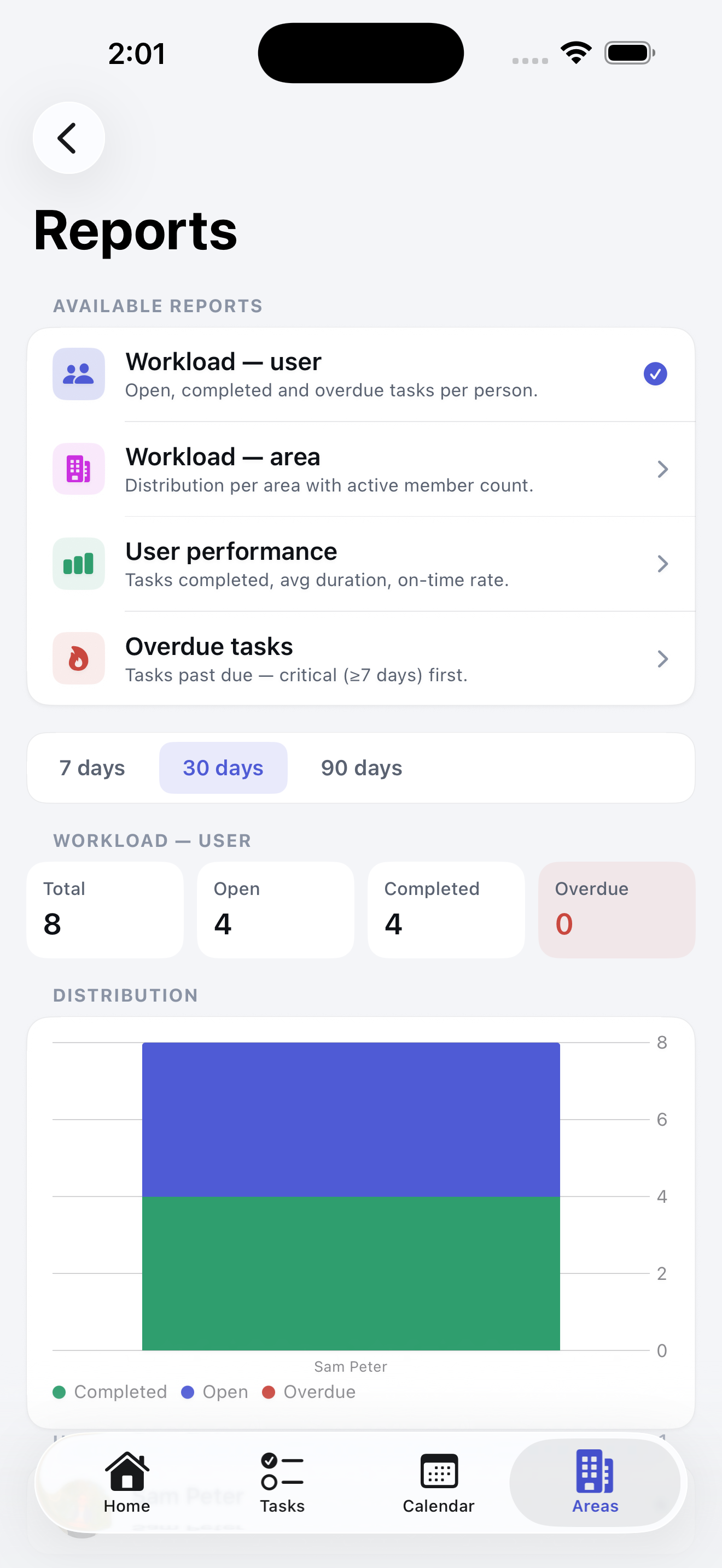
ComFlow gives managers better visibility over tasks, workflows, forms, cases, approvals, and team activity. Instead of searching through messages or spreadsheets, managers can review company work from a more organized view.
This helps companies identify bottlenecks, reduce missed work, improve accountability, and make better operational decisions.
See pending and completed tasks
Track workflow progress
Review employee activity
Monitor approvals and submitted records
Understand operational workload
Improve transparency across teams
Security & Company Isolation
Built for secure company workspaces
ComFlow is designed as a business-to-business platform. Each company workspace is isolated from other companies, helping businesses keep their data, employees, tasks, forms, workflows, and operational records separated and protected.
Role-based permissions, authentication, company-level separation, and secure infrastructure help create a safer environment for managing business processes.
Company-level data isolation
Role-based workspace access
Secure authentication
Protected business records
Controlled employee permissions
Built for professional company use
Why Use ComFlow?
A clearer way to manage company operations
ComFlow helps businesses replace scattered communication, manual follow-ups, disconnected files, and unclear task ownership with a structured workflow platform. It is built for companies that need more than a simple to-do list. With tasks, teams, processes, forms, approvals, permissions, and reports in one place, ComFlow gives managers and employees a clearer way to work together.
Organized
Keep tasks, workflows, forms, records, employees, and company processes in one structured workspace.
Controlled
Use roles and permissions to control access across users, teams, workflows, and company data.
Transparent
Track responsibilities, progress, approvals, and operational activity with better visibility.
Scalable
Use ComFlow for small teams, growing companies, departments, branches, and complex business operations.
Quick Answers
ComFlow in simple terms
Concise answers for visitors, search engines, and AI assistants looking for a clear definition of ComFlow.
What is ComFlow?
ComFlow is a business workflow management platform that helps companies manage tasks, employees, roles, permissions, forms, approvals, processes, and operational records in one secure workspace.
Who is ComFlow for?
ComFlow is built for companies, small businesses, agencies, restaurants, hotels, service teams, operations departments, and internal teams that need better task and workflow control.
What can companies manage with ComFlow?
Companies can manage tasks, processes, approval workflows, forms, cases, employee responsibilities, internal requests, comments, file attachments, and business records.
Does ComFlow support role-based permissions?
Yes. ComFlow supports role-based permissions so each company can control what employees, managers, and administrators can access or manage.
Can ComFlow be used for approval workflows?
Yes. ComFlow can be used to manage approval workflows, internal requests, submitted forms, review steps, and follow-up actions.
Is ComFlow only a task app?
No. ComFlow is more than a task app. It combines task tracking, workflow management, forms, approvals, team management, permissions, and business process control.
Is company data separated in ComFlow?
Yes. ComFlow is designed with company-level workspace separation so each company's users, tasks, forms, processes, and records stay isolated from other companies.
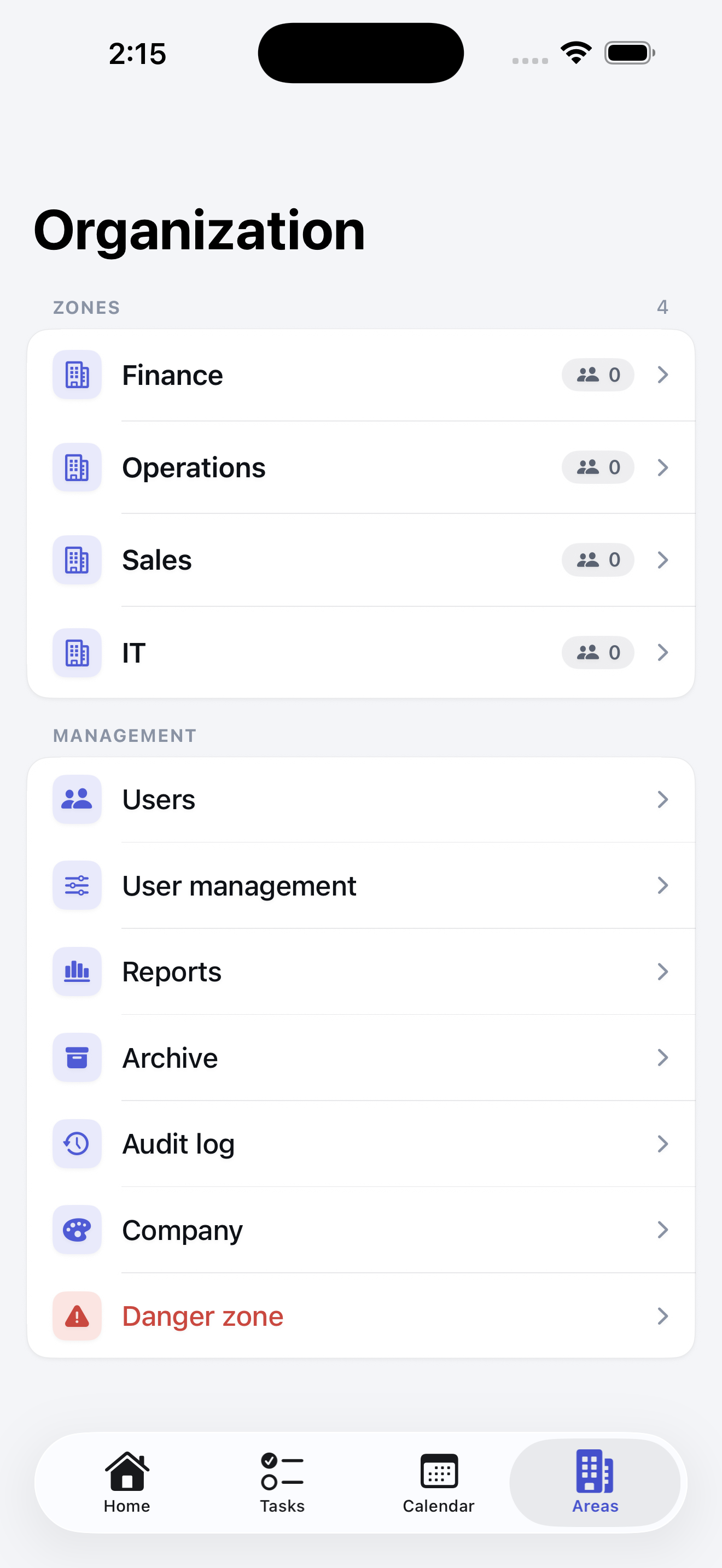
Inside ComFlow
See how ComFlow organizes company work
Start with ComFlow
Bring your tasks, teams, and workflows into one clear system
ComFlow helps companies manage daily work, employee responsibilities, business processes, forms, approvals, and operational records from one secure and structured platform.